

For restaurants
More guests, fewer empty tables.
Diners book online 24/7 and Relax seats them at the right table. Reminders, reconfirmations and deposits keep no-shows at bay, and you manage everything from your phone, even mid-service.
No commissions · No credit card required · Setup in minutes · Nothing to install
Cut no-shows
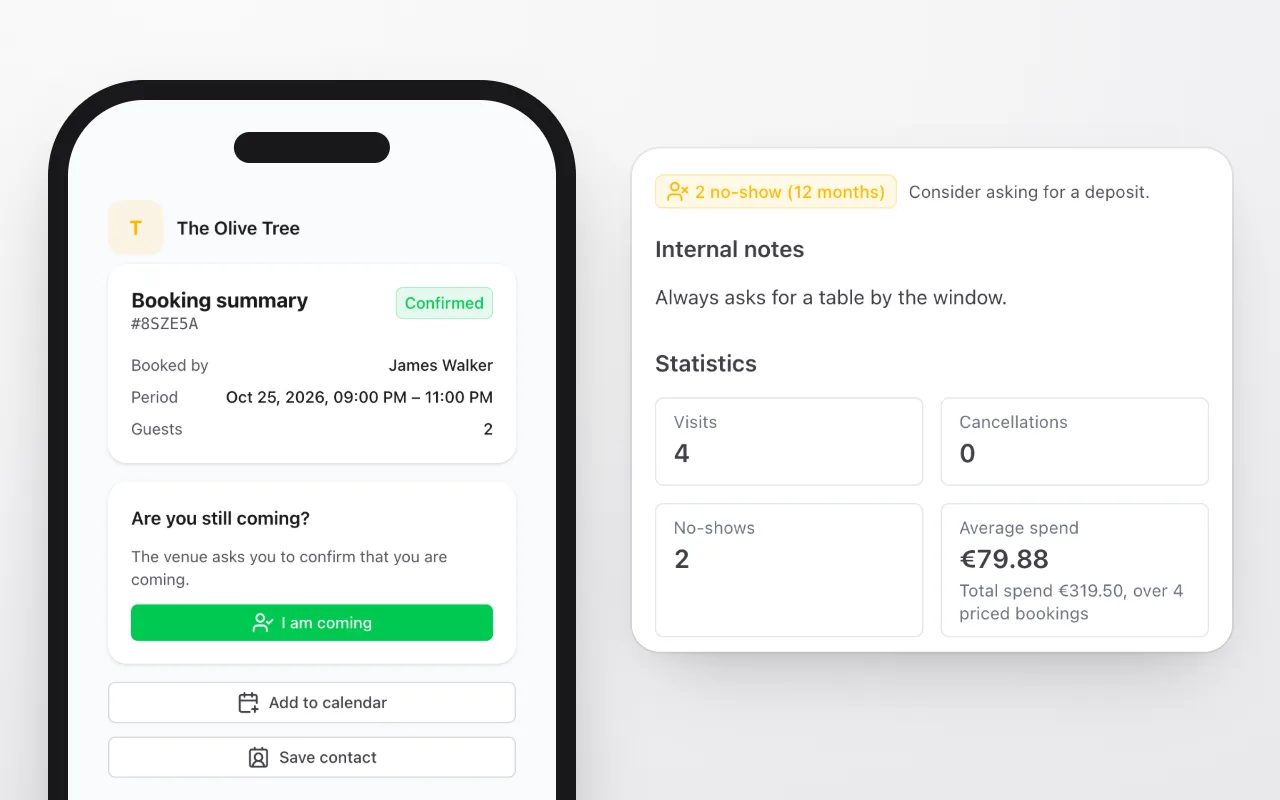
An empty table is revenue you can't get back. Relax reminds guests of their booking, asks them to reconfirm and shows you who hasn't replied, so you know in time which tables might stay empty.
- Email reminders and reconfirmation requests: you choose how many hours before they go out, for each booking type.
- Each guest's no-show count shows up even when you search for them to make a booking, so you know who to ask for a deposit.
- Set a cancellation deadline and guests can cancel on their own from the link in their booking summary, early enough for you to rebook the table.
- Turn on verification and guests who book online confirm their email or phone number with a code. Real contact details, fewer fake bookings.
Fill every service
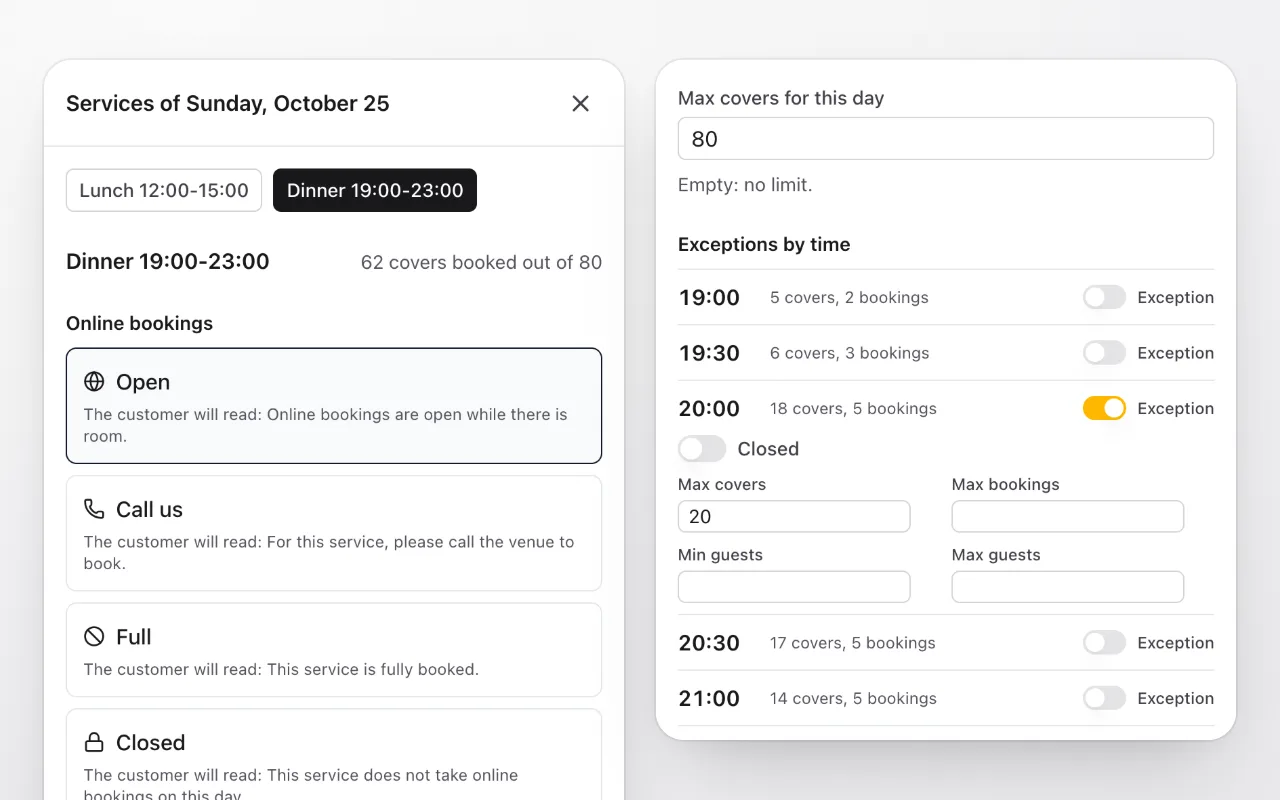
Online, Relax counts covers, not bookings. For each service you decide how many guests to take across the day and in each time slot, so a second party can still book for 8 pm as long as there's room.
- Online bookings are seated automatically at the smallest free table that fits the party, when there is one.
- Fully booked? There's a waiting list. When a spot opens up, you offer it to a guest, who then has 30 minutes to book it.
- Day by day, open each service online, ask guests to call instead, or mark it as full or closed. Your staff can always book, whatever you choose.
Your whole service at a glance
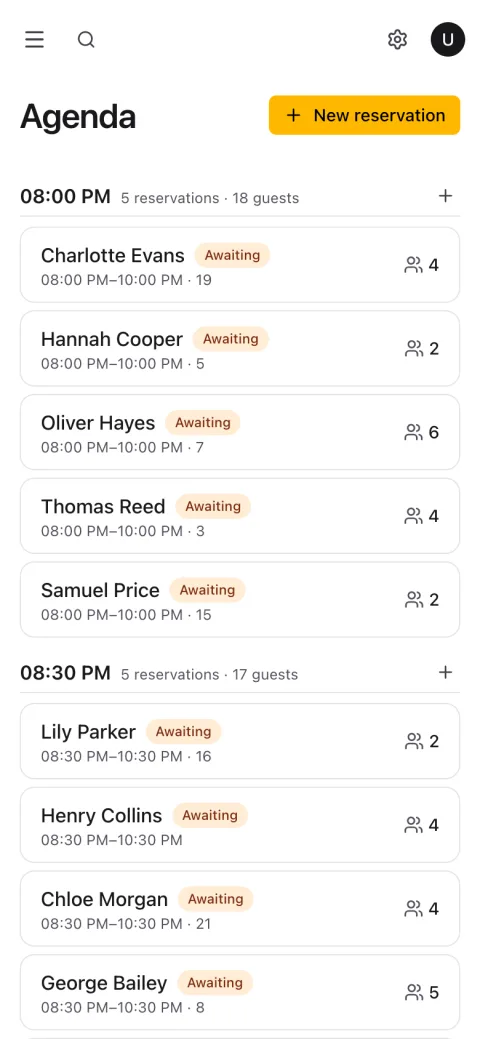
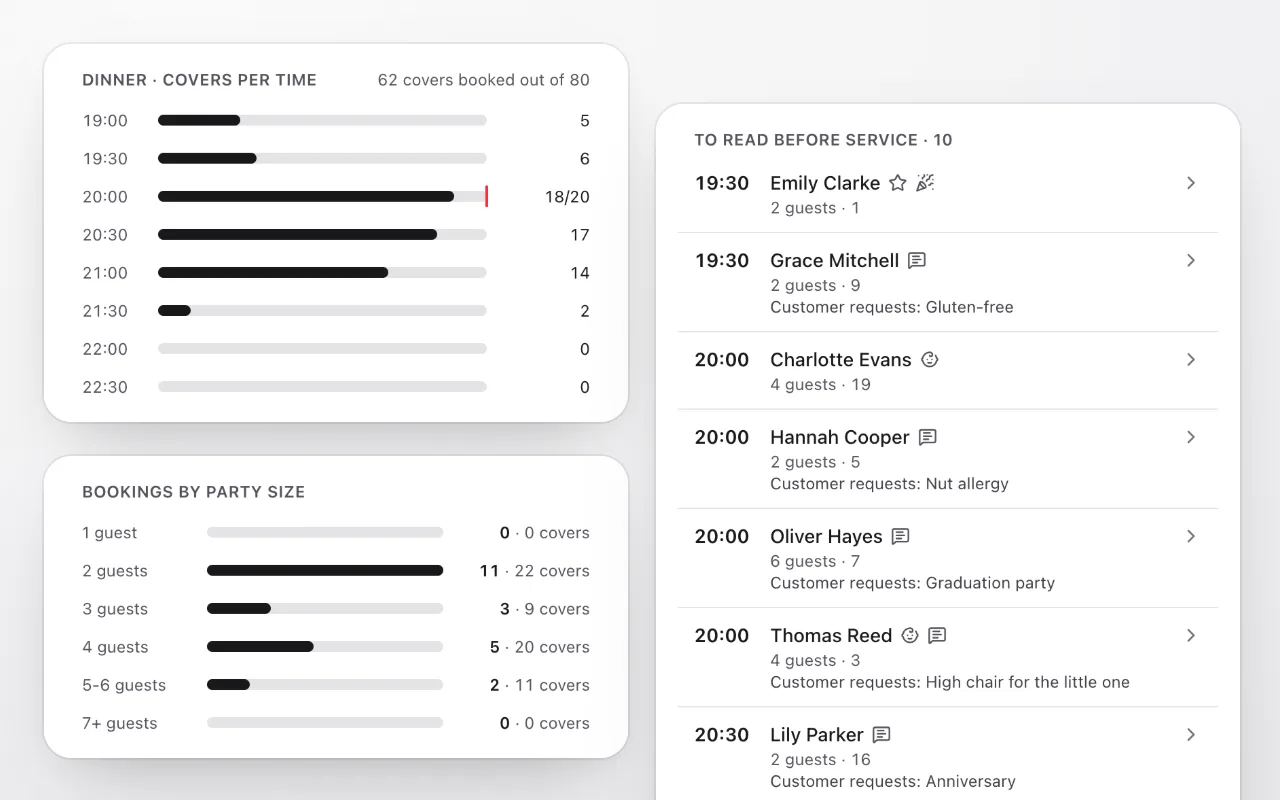
Before you open, you know who's coming and what they need. The Agenda lines up arrivals by time, with the guest count for each time slot, and a single list, To read before service, brings together the day's allergies, requests, notes, VIPs and birthdays.
- The Note of the day is there for the whole team, in the Agenda and the Planner.
- Visits, spend and no-shows for every guest, plus a birthday flag on the booking.
Every table under control
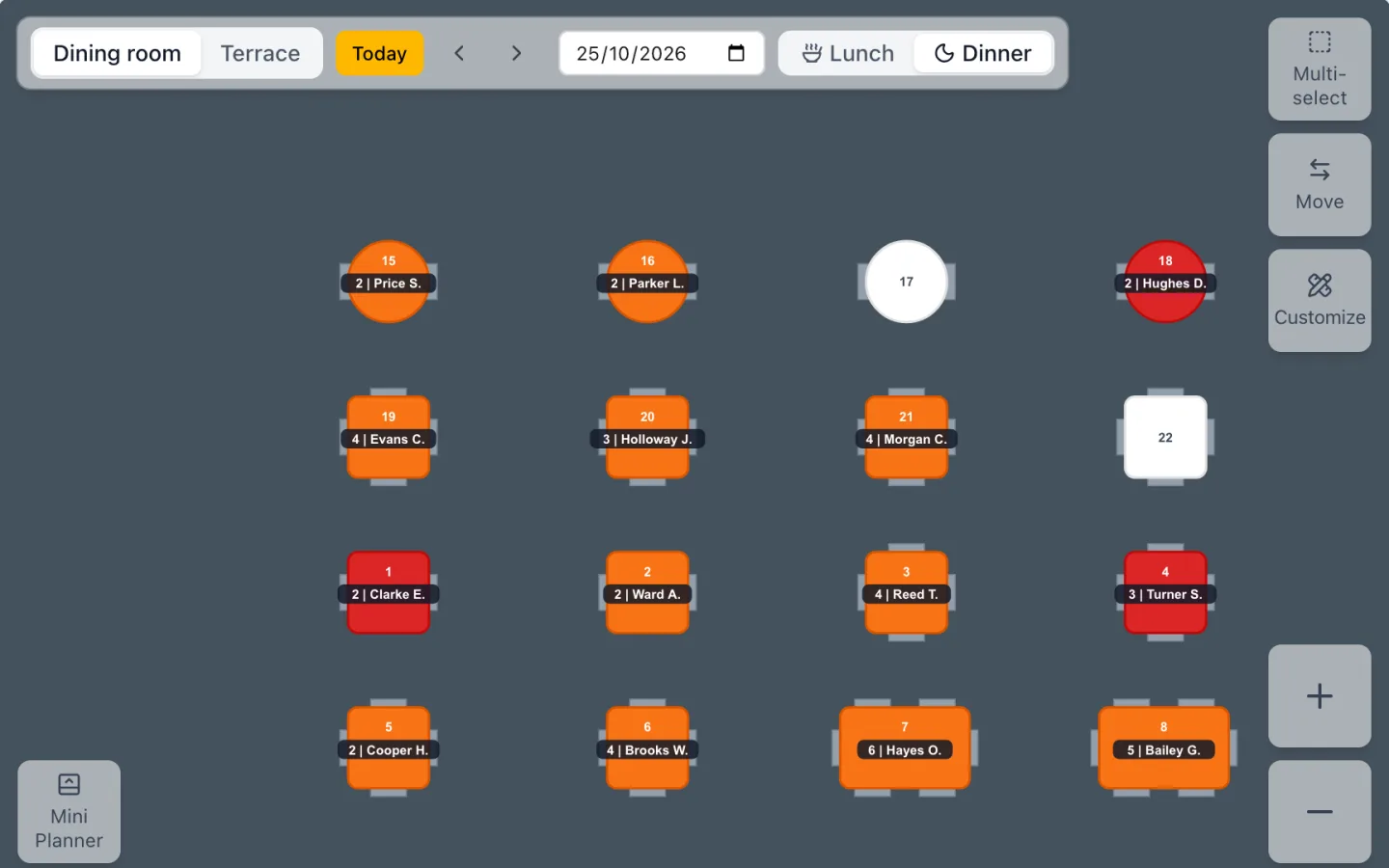
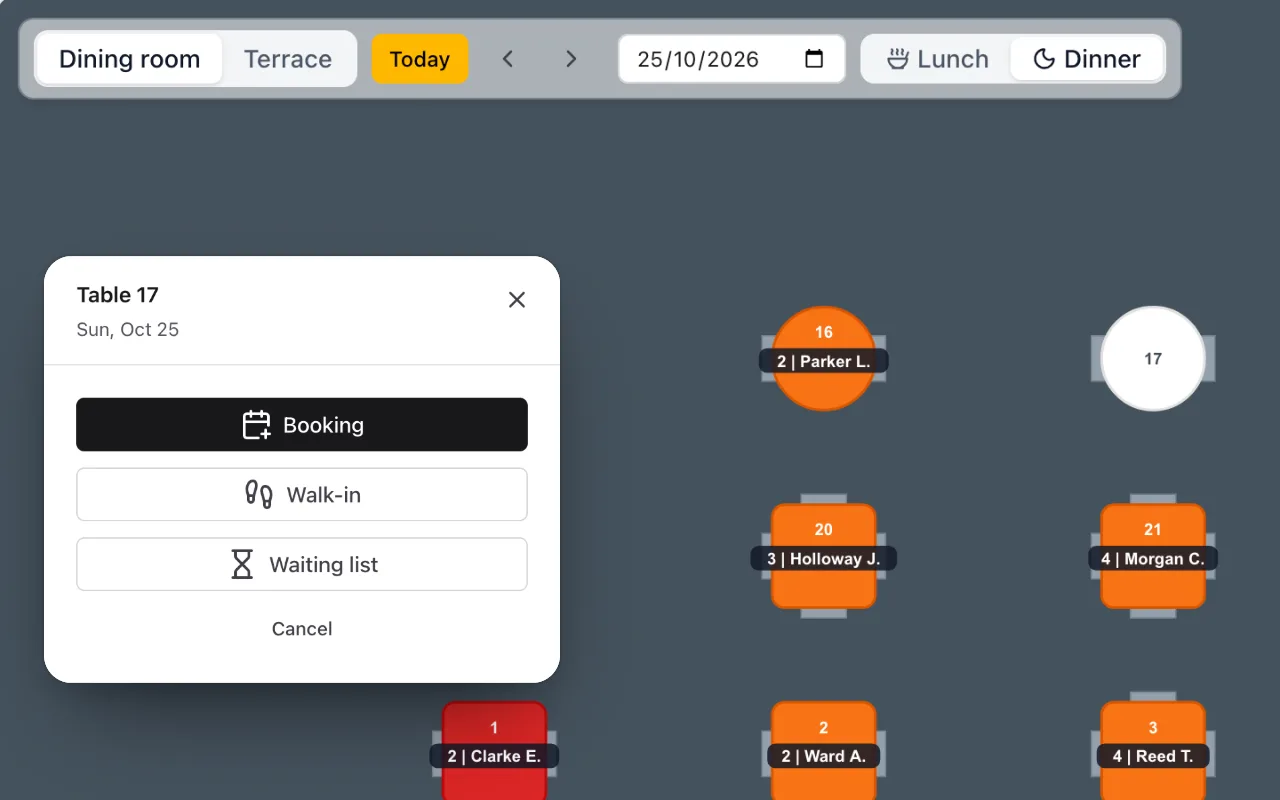
The map shows your dining room to scale, with free tables in white and booked ones showing the party size and last name. Tap a free table to start a booking, seat a walk-in or add someone to the waiting list.
- Seat a walk-in with one tap, no customer details needed.
- Promise a table to a guest and nobody can take it from them by mistake.
- Assign or change tables from the Planner, the map or the Agenda.
- Draw your floor plan right on the map, with Undo and Redo.
Catch conflicts before they become problems
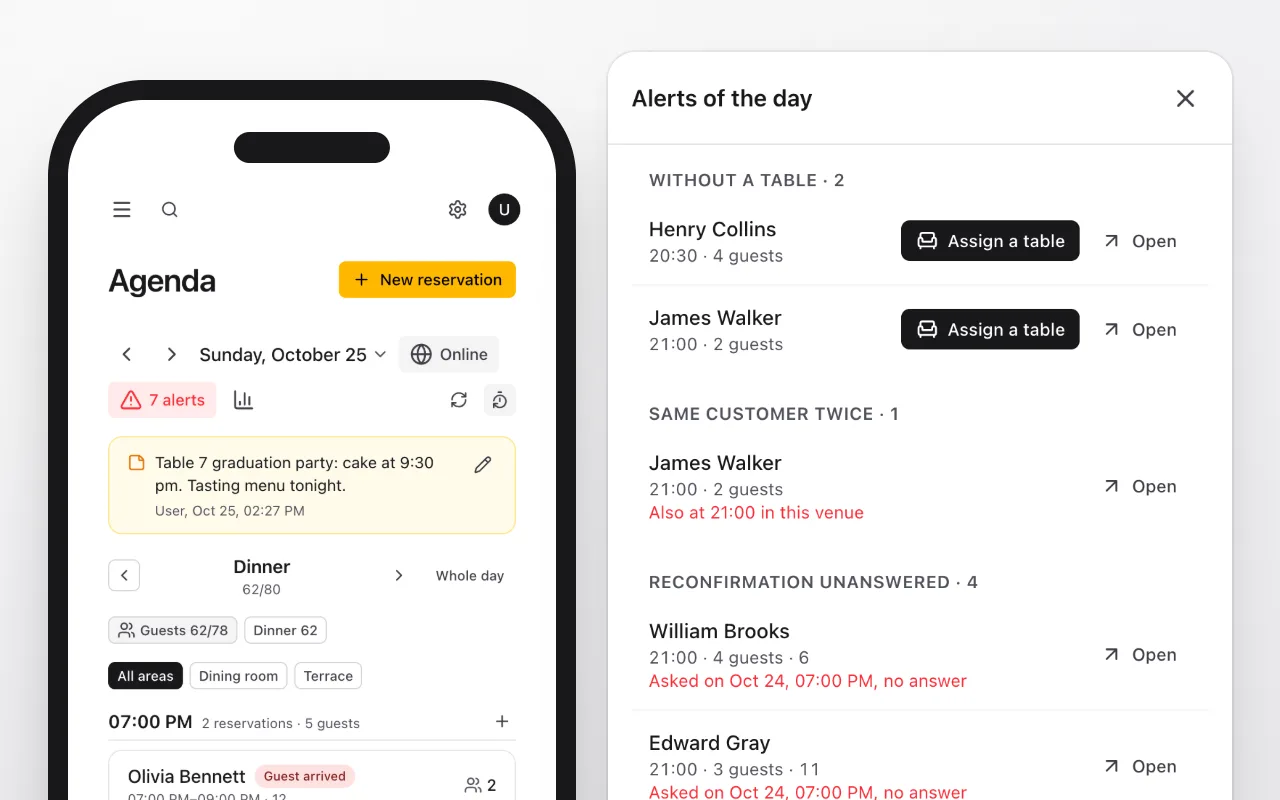
The Alerts of the day flag the same guest booked twice at the same time, bookings still without a table, booking requests left waiting for more than a day and unanswered reconfirmations.
- Each booking's Activity shows who created it, changed it, collected payment or marked it as a no-show.
- Your team works with the permissions you set, section by section, and you can limit anyone to a single location.
Run it all from your phone
Relax works in the browser on your phone, tablet or computer, with nothing to install. Take bookings, move them around and collect payments, even with service in full swing.
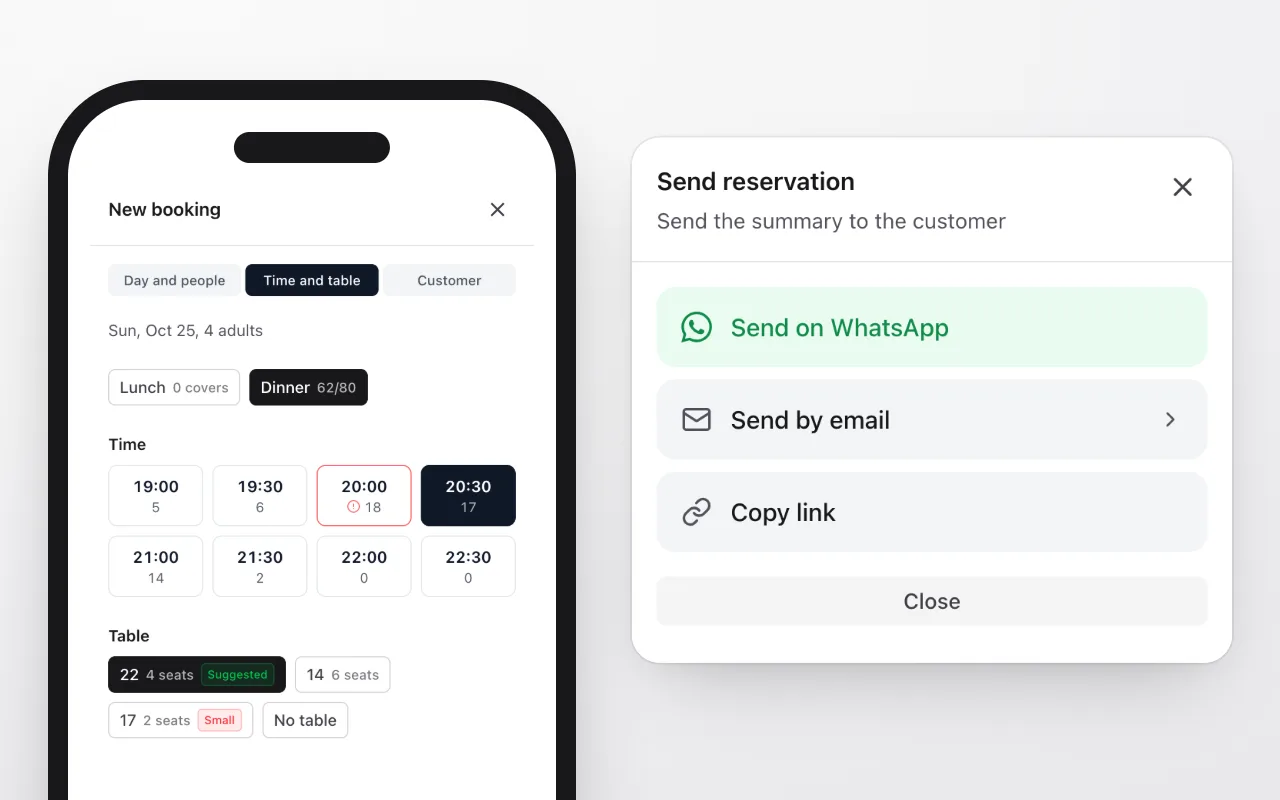
- With Save and send, the booking summary goes out on WhatsApp or by email, with the deposit due, your IBAN and your house rules.
- From the summary, guests can add the booking to their calendar and save your contact.
Frequently asked questions
Try Relax in your restaurant
Sign up free, with no credit card and no booking commissions. Draw your dining room and start taking online bookings in minutes.