

Create a booking from the map
Pick a free station on the map, enter the customer and the period, add setup and extras, and save the booking.
The quickest way to record a booking is to start from the Map: click a free station and Relax opens the New reservation form with the station, the date and the type already set. From there you enter the customer, adjust the period if needed and save.
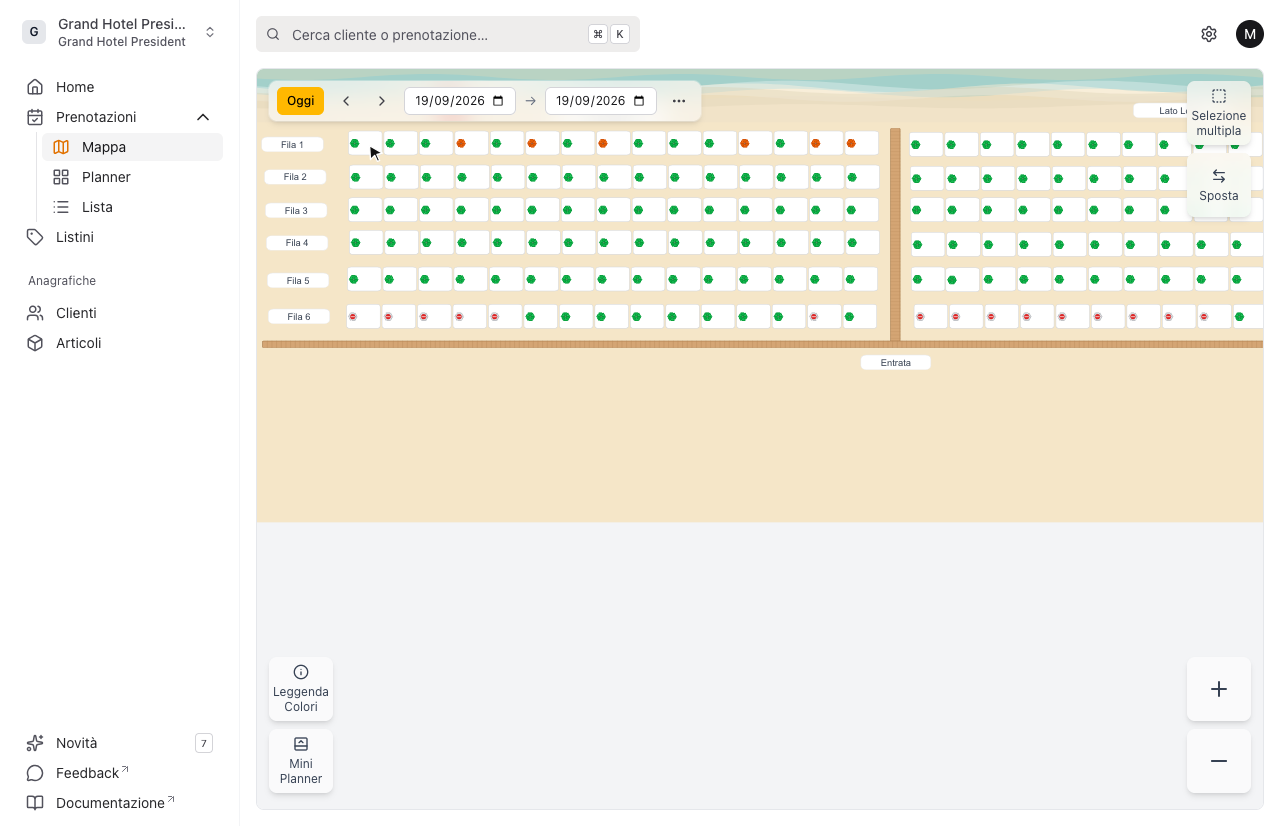
On the map every station has a color: green is free, orange has a confirmed booking, red has a customer who has already checked in, and with the no-entry symbol it is blocked. The Color legend button at the bottom lists them all. The dates at the top left set the day you are looking at: use Today or the arrows to move between days.
A one-day booking
- Open Bookings → Map and set the date you want at the top.
- Click a free station (green): the New reservation form opens with the station already entered in Period 1.
- In the Customer tab type the First name and Last name. You need the phone or the email to send the confirmation and to reach the customer later. If the customer is already in your customer directory, look them up in the Search existing customer field instead of typing them again.
- Set how many Adults and Children there are: the number of people in the booking is the sum.
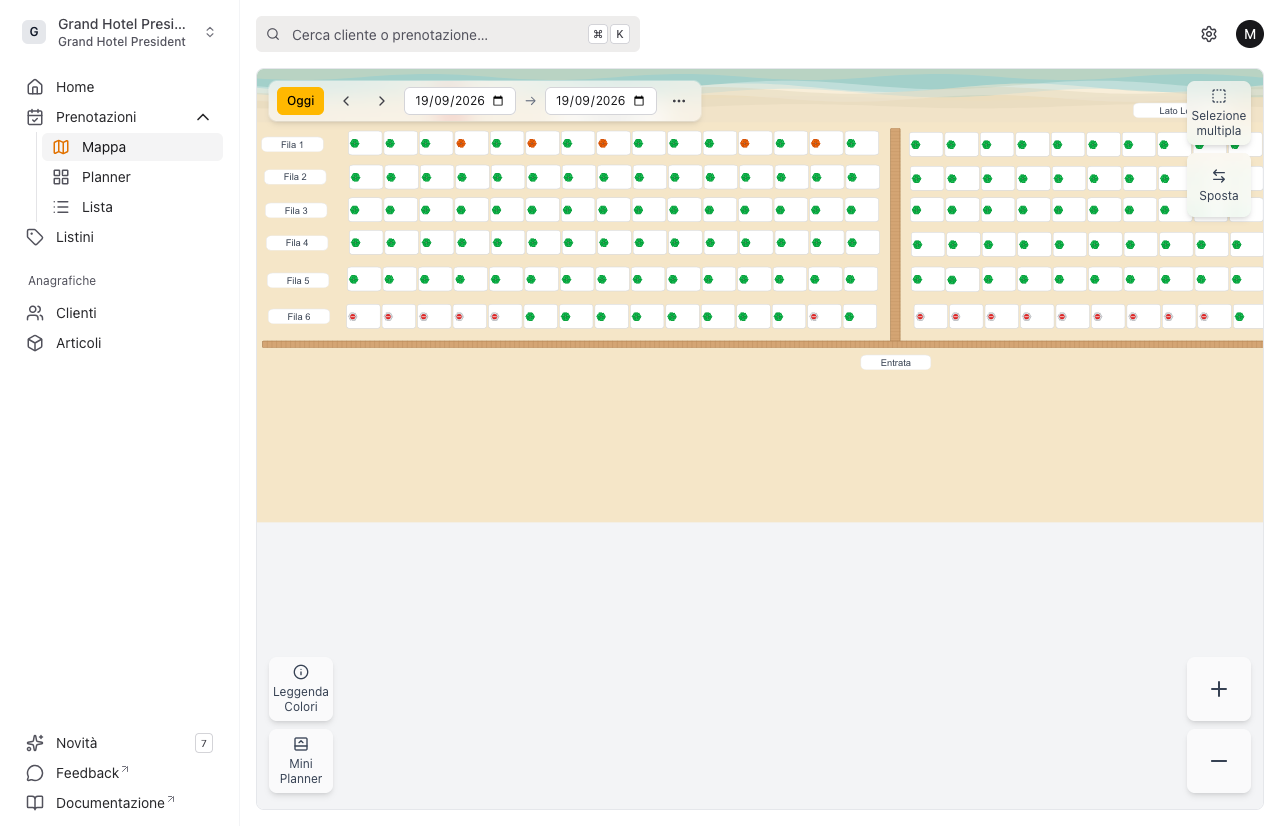
- Press Save: you go back to the map and the station shows as occupied.
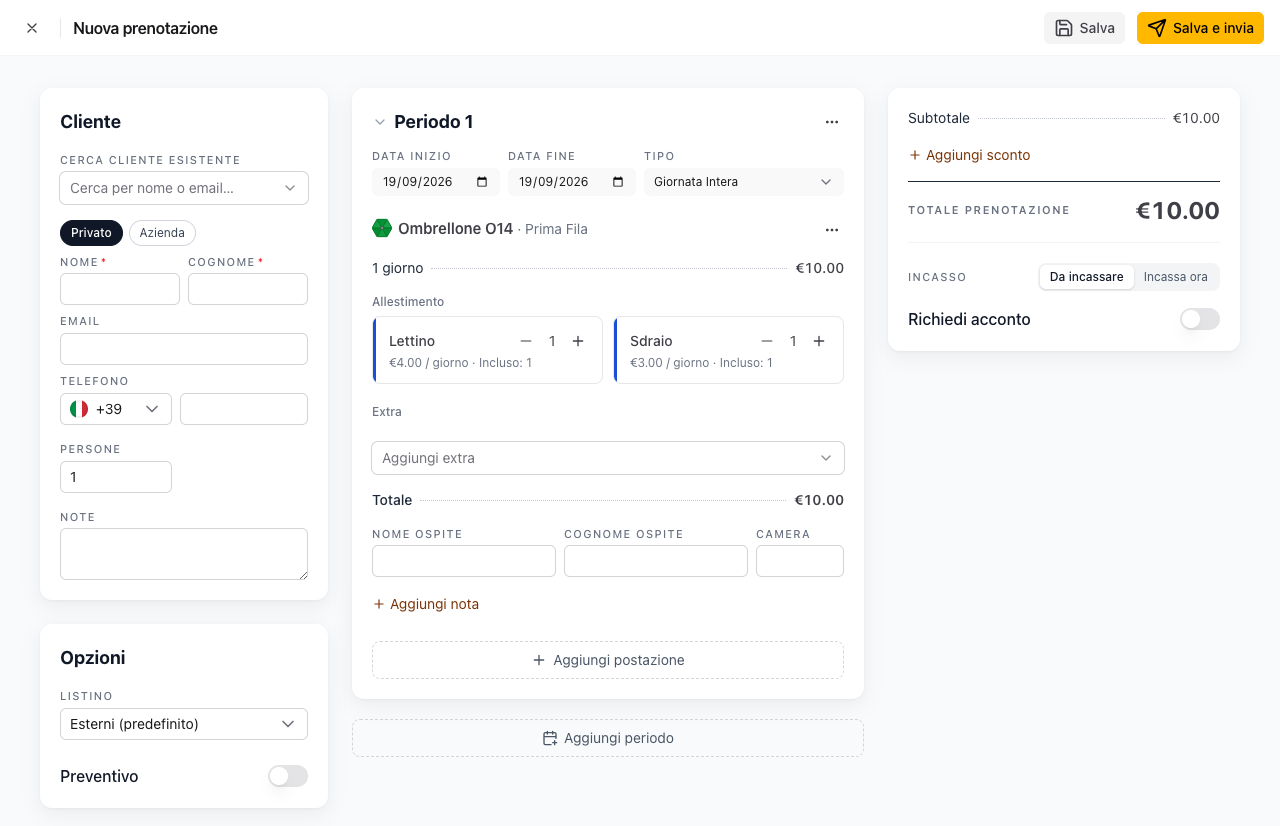
Note: with Save and send the booking is saved and the window to send the summary to the customer by WhatsApp or email opens straight away.
Several days, setup and extras
- Click a free station as above.
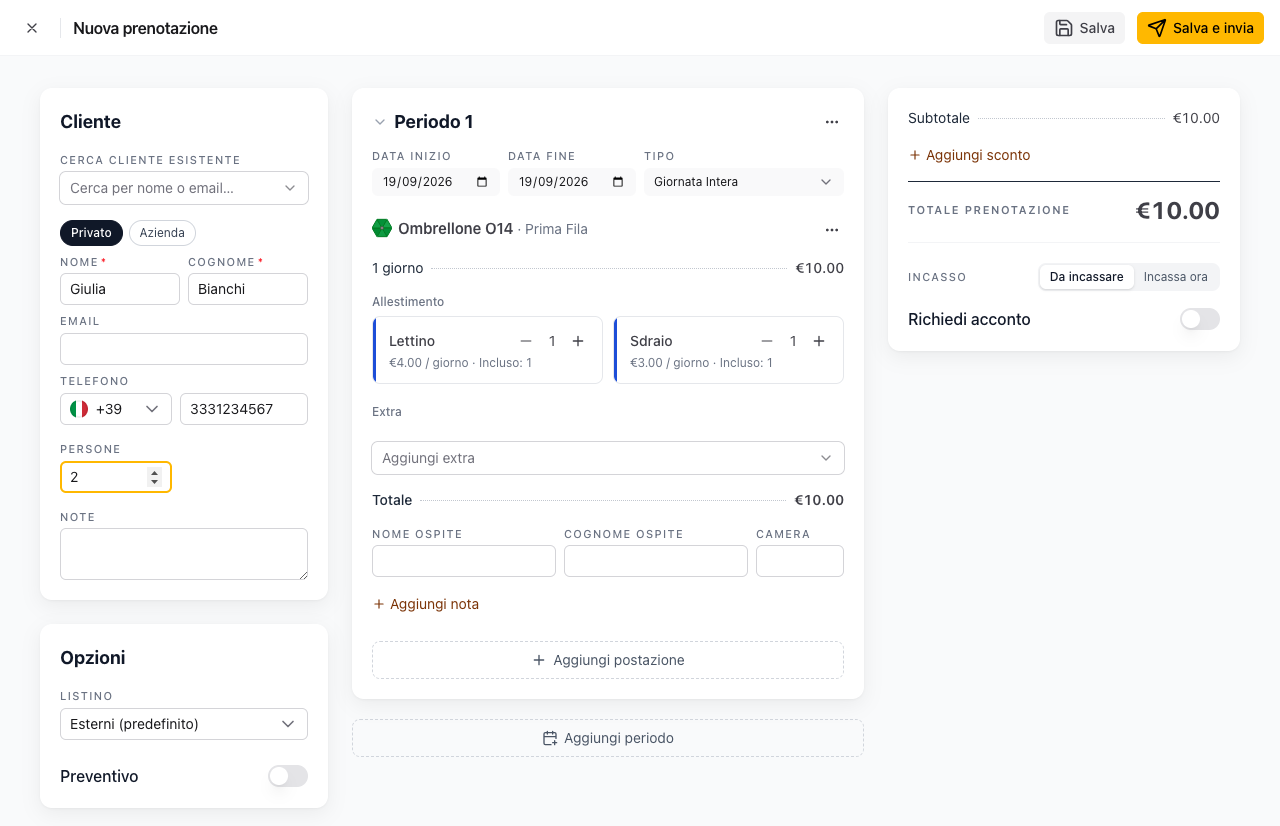
- In Period 1 change the End date: the total updates based on the number of days and the price list in use.
- In the station's Setup use + and − to change the quantities (for example one more sunbed). Under each item you see the price per day and how much is already included in the station.
- With Add extra pick a product from the catalog (a beach towel, a service) and add it to the station.
- Fill in the Customer and press Save.
The other options in the form
- Add resource: adds another station in the same period, for example two umbrellas for a family.
- Add period: creates a second block of dates for the same booking (one week in June and one in August).
- Type: changes the booking slot, for example full day or half day, if you have set up more than one.
- Guest first name, guest last name, room: descriptive details of the single station, useful for groups and for hotel guests.
- Add note: an internal note on the station, visible to you and your staff.
- Summary on the right: Add discount on the total, Payment to mark the booking as Collect later or Collect now, and Request a deposit to ask for a down payment.
- Options: the Price list to apply and the Quote flag to keep the booking pending until an expiry date.
Note: for quotes and deposits you find the details in the guide Create a quote and request a deposit.