

Create a quote and request a deposit
Turn a booking into a quote with an expiry date and ask the customer for a deposit (an amount or a percentage) to confirm it.
A quote is an offer you make to the customer: the booking stays pending until the expiry date you set. You can also ask for a deposit (a fixed amount or a percentage) to be paid to confirm the booking. For deposits by bank transfer it is best to record your bank details first.
Add your bank details
- Open Settings → Banks.
- Click Add bank.
- Enter the details of the account that receives the bank transfers (bank name, account holder, IBAN) and save.
Note: without a bank set up, the customer will still see a default bank when paying. Add yours to show the right details.
Create a quote
- Open Bookings → Map and click a free station.
- Fill in the booking as usual: customer, period, stations and products.
- Turn on the Quote flag and set an Expiry.
- Save: the booking shows the Quote badge next to the name and stays pending until the expiry date.
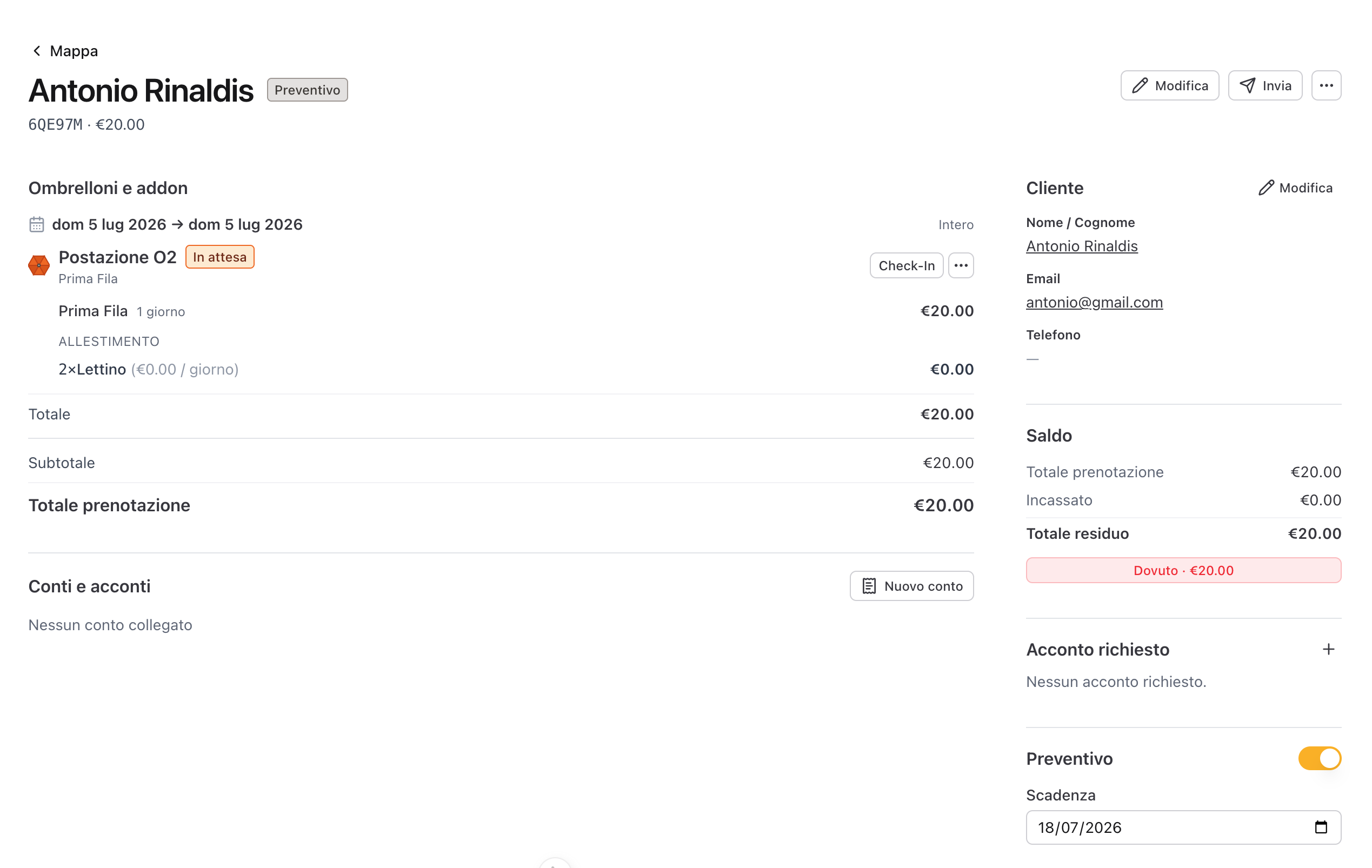
Note: you can also turn Quote on or off later, from the panel on the right in the booking detail.
Request a deposit
- Open the booking from the Map.
- In the panel on the right, in the Deposit request section, click + (or the pencil to change it).
- Choose Amount, Percentage or Per person and enter the value, for example 30%. With Per person the deposit is the amount multiplied by the people in the booking: 10 € per person for a table of 6 makes 60 €.
- Select the Payment method (for example Bank transfer) and the Bank.
- Save: the summary shows how much was Requested and how much is still Outstanding.
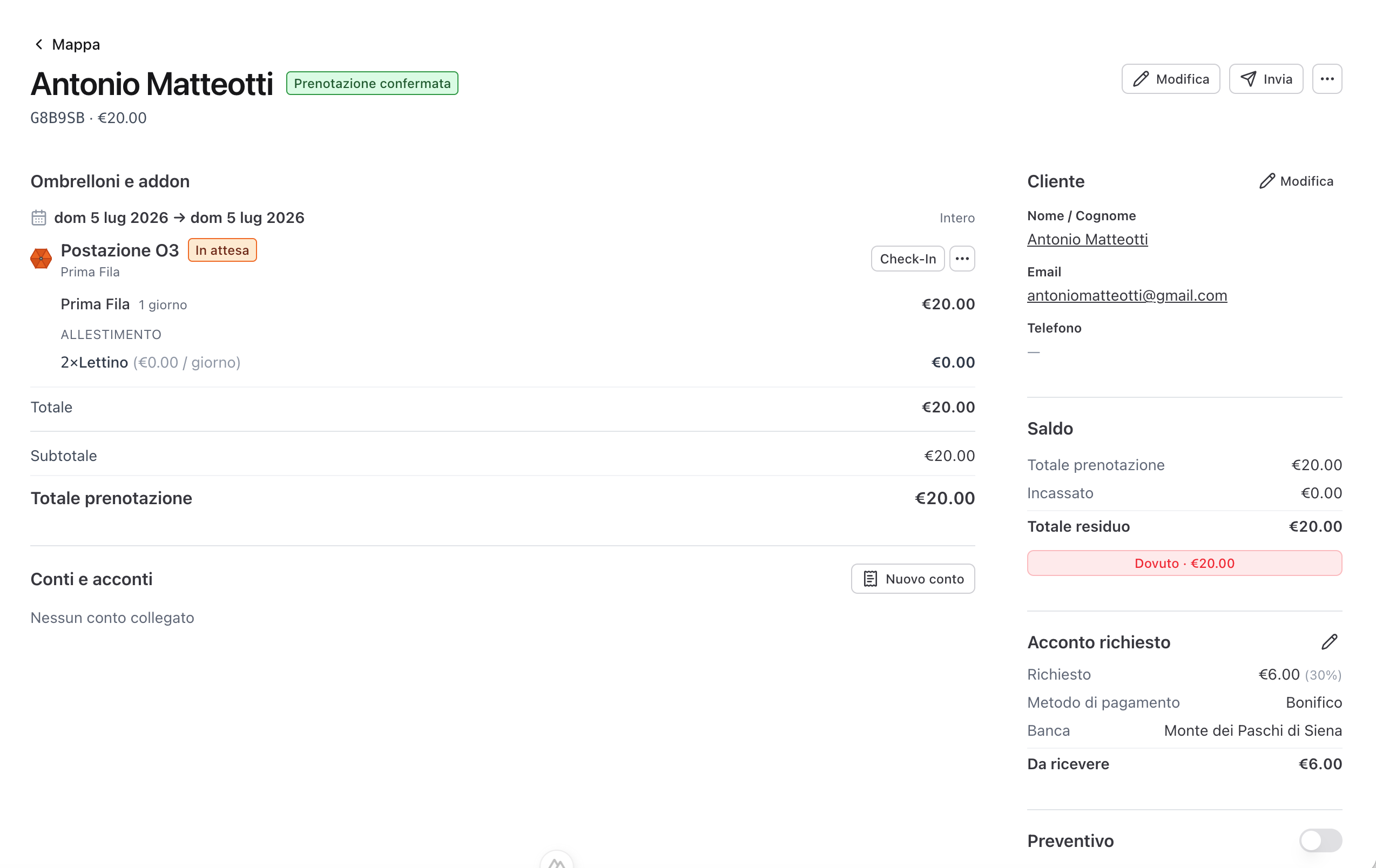
Note: if Quote is on, the customer reads on the link that they confirm the booking by paying the deposit; for a booking that is already confirmed they simply see the agreed deposit to pay.